





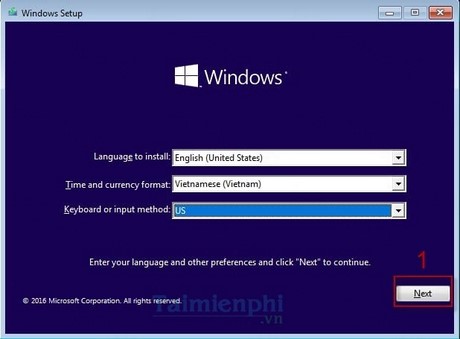
Reinstalling Windows is the act of refreshing Windows completely like it was when the computer you just bought. Usually, the computer used for a while or froze, the memory is full, causing the machine to work slowly, or in the process of using a driver error, etc. So in what specific cases do you need to reinstall Windows for your computer? ? Check out the article below!
1. Determine the cause and reason to reinstall the computer.
First, let’s find out why when using Windows for a while, it is necessary to reinstall it to ensure that the computer runs smoother and more stable. Here are some causes of your computer slowing down over time.
- Due to many programs or software running in the background and many Startup software starting with the system, your computer boots slowly. Explorer Plug-ins and background services make the computer slow to use.
- Anti-virus software is also a reason when your computer’s configuration is not too high, but installing anti-virus software will make your computer take up a part of your computer’s performance by about 10%-20%. performance of the computer with anti-virus software.
- Computer cleaning tools do not believe the advertisements of computer cleaning tools that only slow down the computer or that the Ram optimization tools installed only add weight to the computer and do not bring more performance.
- Add-ons are installed on the browser or add on ads, it is these add-ons that make the browser heavier.

2. Cases in which it is necessary to reinstall windows for the computer
- The computer boots normally, but cannot enter windows.
- Your computer has a black desktop, cannot change the wallpaper.
- The computer when running to the windows screen but can not enter windows.
- When entering windows but asking for an update or unable to turn off the computer.
- The computer appears many redundant programs – errors, ads when surfing the web.
- The computer when turned on shows a blue screen – with white text running around.
- Your computer when purchased new has not installed Windows or is installing Windows Ubuntu, Linux … due to copyright issues.
- Your computer automatically resets when it reaches the Windows desktop, and this happens often.
- Set up a computer in the Net – Game room, connect to the network (cable connection, complete access and play the game).
- Split the drive, back up the system to prevent accidental damage later.
- Your computer is infected with a virus, has a disk overflow, causing it to hang, freeze, run slowly ….
You should pay attention before reinstalling windows on your computer, save important data so as not to lose it when reinstalling windows. If you are not sure that you can reinstall windows by yourself, you should call the service to have a technician handle it. Should choose a reputable unit to not be charged additional fees when installing, as well as more peace of mind when using.